On-device AI · No account · Free
Reading, adapted for your brain
Select any text on any page. DyslexiFocus reads it aloud with word highlighting, adapts the typography for ADHD or dyslexia, and helps you understand every word — all on your device.
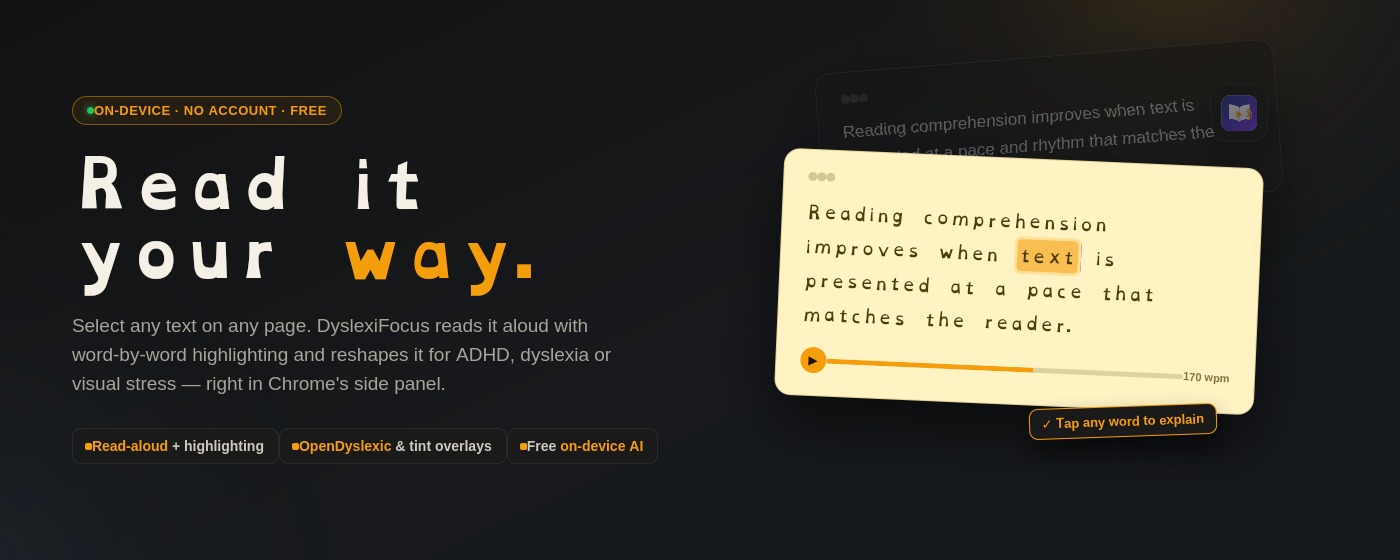
Select any text on any page. DyslexiFocus reads it aloud with word highlighting, adapts the typography for ADHD or dyslexia, and helps you understand every word — all on your device.
Select text on any page and it opens in a clean, distraction-free side panel. The extension reads it aloud with word-by-word highlighting, so your eyes and ears stay in sync.
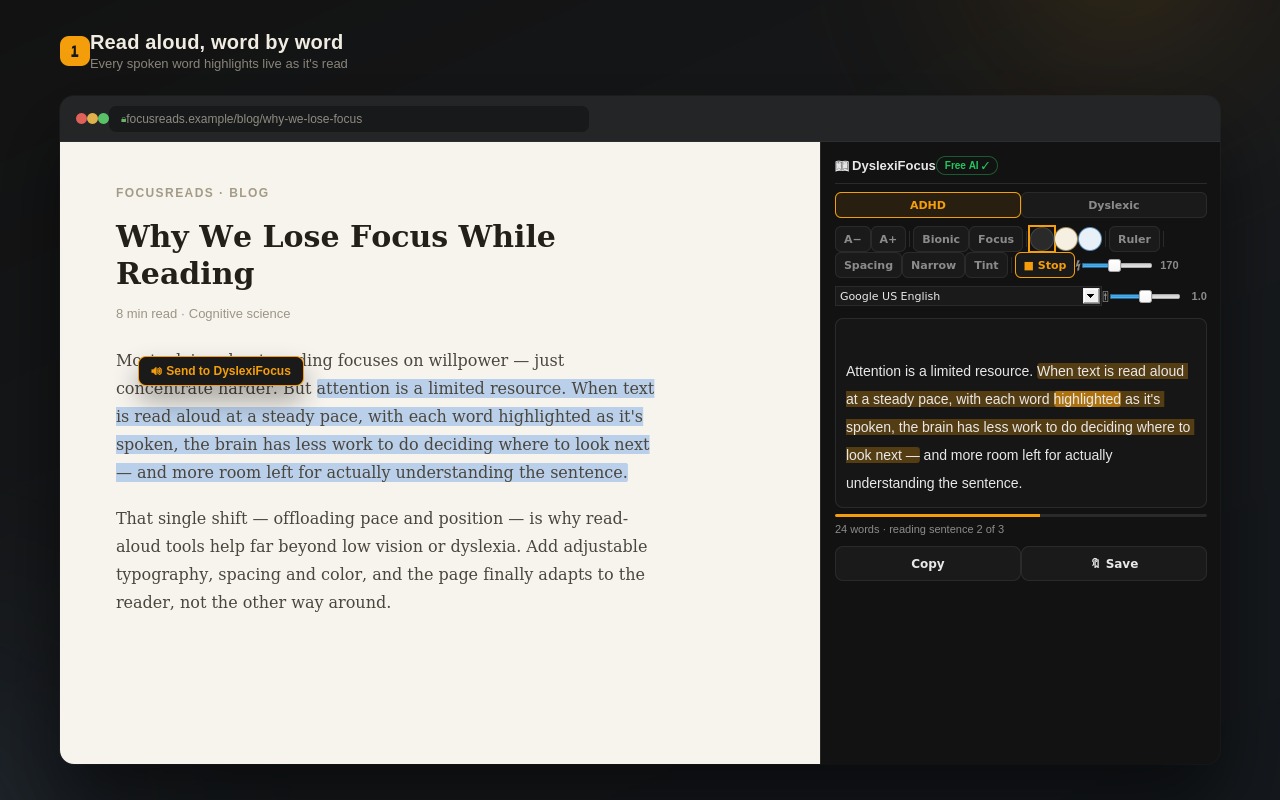
Pause with Space, jump sentence by sentence with arrow keys, stop with S. A progress bar and estimated reading time keep you oriented. Choose your voice, pitch, and speed.
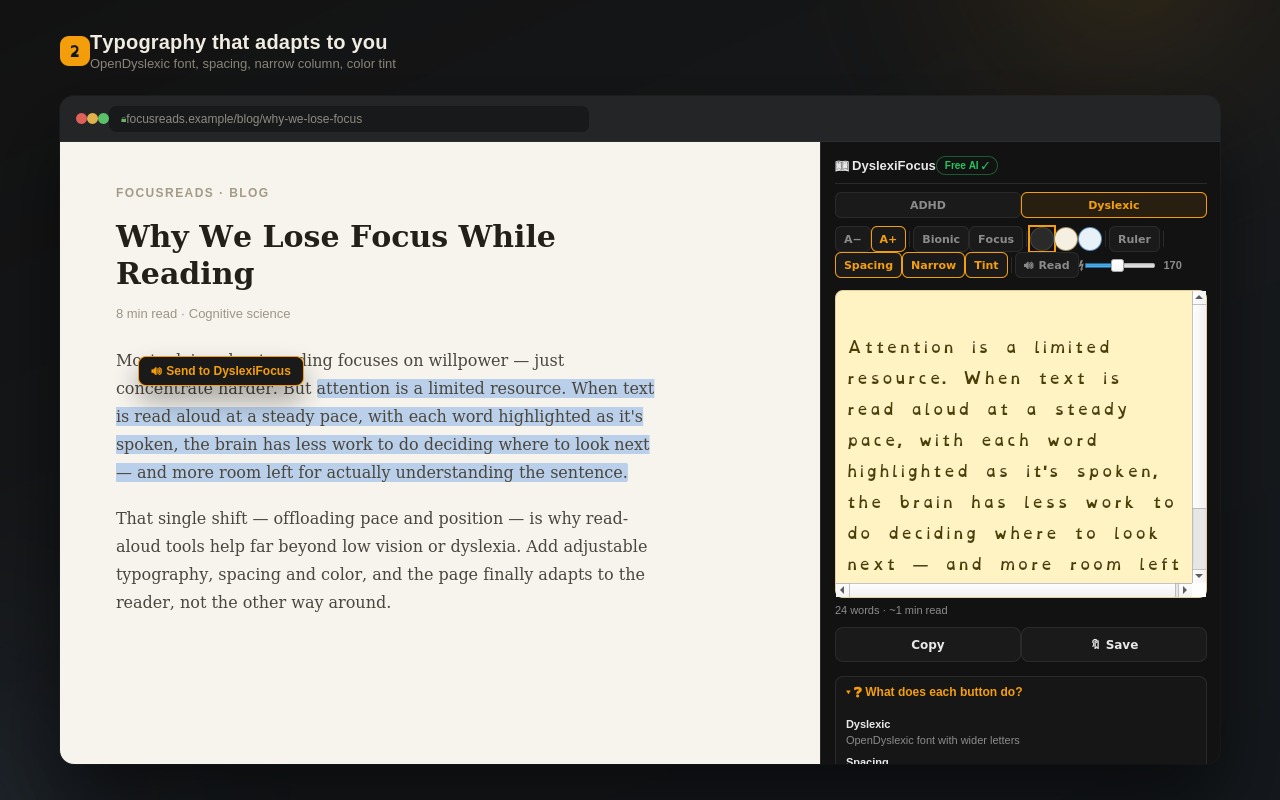
Two reading profiles are one click away. The ADHD profile adds generous line spacing. The Dyslexic profile switches to OpenDyslexic with wider letters. Plus eight independent tools: bionic reading, focus mode, reading ruler, color overlays, and more.
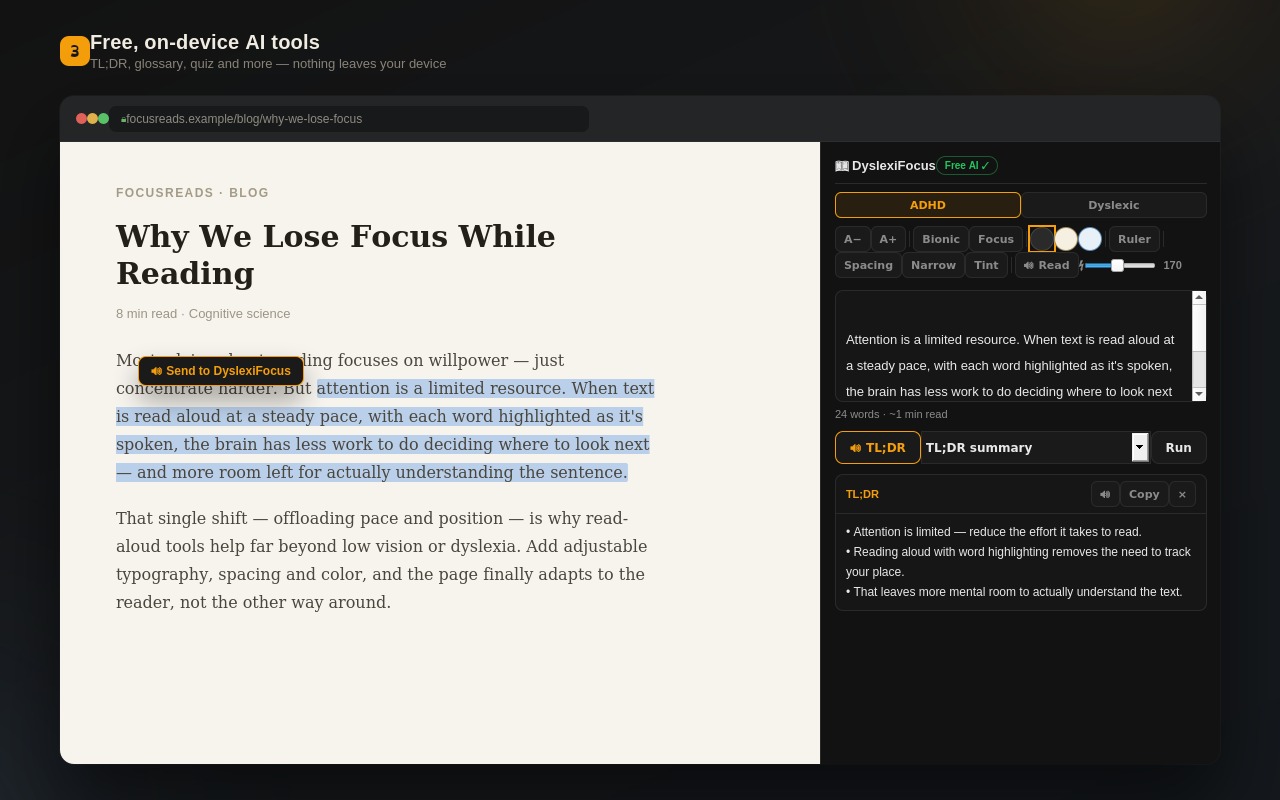
Eight comprehension tools run on Chrome's built-in AI: TL;DR summaries, paragraph labels, glossary builder, comprehension quizzes, translation into 7 languages, and more. Everything runs on your own device.
Word-by-word highlighting with adjustable voice, pitch, and speed.
Generous line spacing so long paragraphs stop merging into one wall of text.
OpenDyslexic font with wider letters, designed to reduce letter confusion.
Bold word starts that guide your eye through the text faster.
One paragraph at a time. No distractions, just the sentence in front of you.
A line that follows your cursor, keeping your place as you read.
Yellow or blue tint for visual stress. Three themes: dark, cream, soft blue.
Shorter line lengths that are easier to track with your eyes.
Tap any hard word and get a one-sentence explanation in simple language.
Read PDFs aloud with the same tools. Text extracted fully on-device.
Save texts with one click. Reopen anytime from the saved list.
UI in EN, RO, ES, FR, DE, zh-CN, JA. Translate text into 7 targets.
Highlight any text on any webpage, or press Alt+Shift+R to send the whole page.
The side panel opens. Choose a profile, adjust typography, and read aloud.
Tap hard words, get AI summaries, take quizzes, or save for later.
DyslexiFocus reads text in any language using the voices on your computer. AI explanations come back in the same language as your text.
Your settings and saved texts live only in your browser. The AI features run entirely on-device. If you remove the extension, every trace is gone.
Select, read, understand — at your own pace. No account, no sign-up.